Showing posts with label Google play store updates. Show all posts

Tuesday, March 15, 2016

Google Play will soon let you try out games directly from search


Plus, a new indie showcase and easier mobile game streaming

(Google)


Google is announcing a slew of new features for Play Games today, and the coolest might actually be a new type of ad. It might not sound particularly exciting — Google has given the new ad format the drab title "search trial run ads" — but the feature now makes it possible to try out games immediately after searching for them. You simply search for a game using Google, then tap the "try now" button that appears in the results, and you can play a 10 minute demo of the game without installing anything. (Google launched a similar, though much more limited type of ad demo back in December.) The new search ads are expected to start popping up on Android "in the next few weeks."

Google Play Games
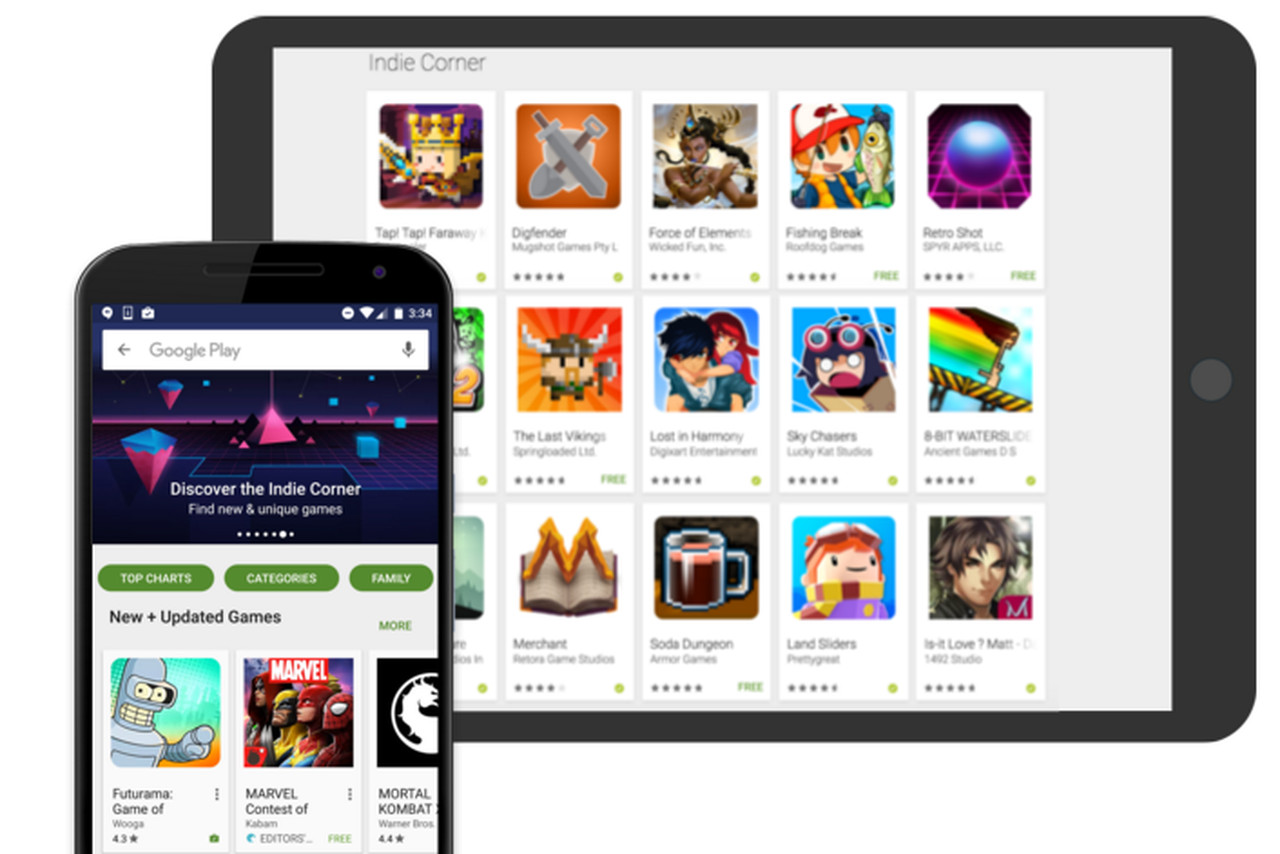
In an attempt at courting inventive smaller developers, Google is also introducing a new section of the Play store that it's calling "indie corner." Essentially, it's a regularly updated collection of the best indie games on the platform, as curated by Google. According to Ben Frenkel, product manager on Play Games, while the main criteria for inclusion is the quality of the game — "Number one, it has to be a good game," he says — Google is also looking to highlight titles that utilize different Play features, like leaderboards or achievements. "We want them all to be case studies for what you can do on the platform," Frenkel says of the games that will be included.
The majority of the announcements from Google today are developer-focused; the news comes directly from the company's "developer day" event at the Game Developers Conference in San Francisco. But several, like the new search ads, have implications for players. Among these is a new API that lets developers add both video recording and live streaming functionality to any game. Those videos, both recorded and streamed, can then be broadcast on YouTube using what Google says is "a few simple steps." The API will be available some time in the next few months.

Friday, March 11, 2016

Waze 4.0 Hits Android, Sporting A Fresh New Look: Live Now On Google Play [Video]


Waze
Waze 4.0 is now available for Android users. The newly-released version delivers a brand new look, enhanced driving experience, a faster way to share ETA, easy access to frequent destinations


Google has launched Waze version 4.0 to Android users, which promises to bring several exciting and useful features.
Waze 4.0 brings Android users a fresh new look, enhanced driving experience, easier way to share ETA with family members and friends and faster access to the user's frequent destinations, among other features.
"Waze is the world's largest community-based traffic and navigation app," says Google. "Join drivers in your area who share real-time traffic and road info to save time, gas money, and improve daily commuting for all."
Other advantages of using Waze include real-time traffic-sharing within the local community; on-the-spot reporting of accidents, police traps and other road dangers; road alerts found along the user's route; the cheapest gas prices as shared by the community; easy navigation to Facebook and Calendar events in just a single tap; turn by turn voice-guided navigation; the ability to add friends and one's location details; and the privilege of earning points as a form of reward for contributing road info.
Users who have made significant contributions are also given the opportunity to climb the ranks within the community.
"Waze is all about contributing to and benefiting from the common good, so hop on board and get involved," adds Google.
The fresh new design in version 4.0 is meant to deliver easier navigation, sharing and reporting. It also brings a significant reduction in battery consumption.
Users also need fewer taps to start a drive or for sending locations and directions.
Moreover, Waze 4.0 features a new ETA panel that is a one-stop place for viewing reports, checking alternate routes and even assigning stops along the way. Users can also instantly send ETA to family members and friends through the panel. 
Lastly, users can receive smart reminders that can help them leave on time to make it to their Calendar appointment. The app uses information such as traffic conditions and estimated drive times in order to send useful reminders to Android users.
The new Waze 4.0 for Android seems to have taken a number of cues from the app's iOS version, which was released in October.
The updated Waze for Android is now available at the Google Play Store, so check out the video below to get a better idea of what it has to offer.

Friday, March 4, 2016

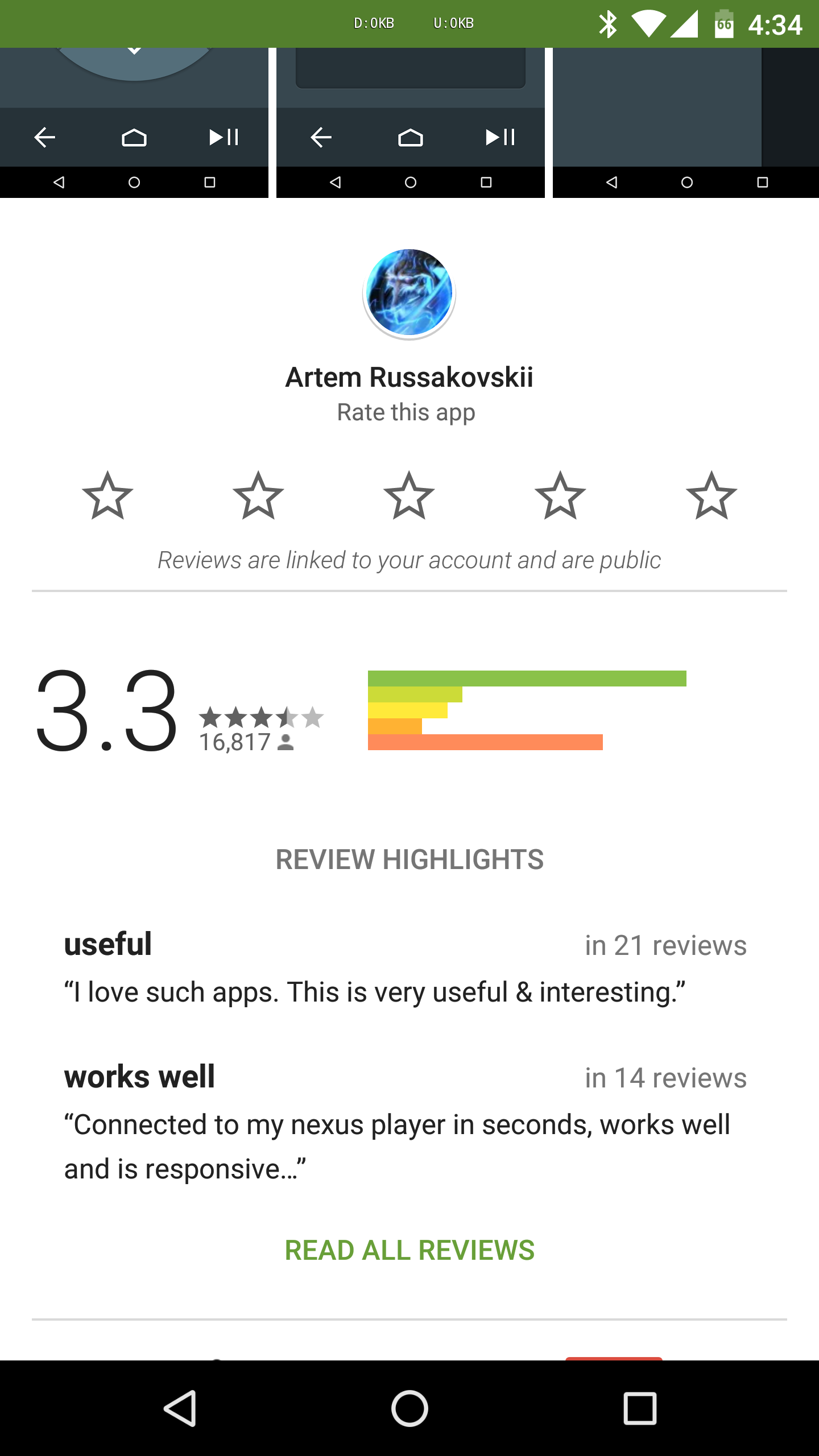
Google Appears To Be Testing A New, Simpler Layout For Ratings In The Play Store


Google is constantly making changes to the Play Store layout, and these tweaks are often server-side. A new line here, a different dialog box there, and the experience changes. This time, Google appears to be testing a layout for reviews that takes away a dialog box when you leave a review. Instead, the review dialog is embedded in the page.
You can see the current style below for comparison. Basically, it looks like Google is toying with getting rid of the pop up for leaving reviews. The layout of that box was just tweaked last year, in fact. The new screens above do look much cleaner and more consistent with where Google is going these days. You may also notice there's just a single text field for the content of the review with no "title" space.
Screenshot_20160301-163504 Screenshot_20160301-163455
Current UI
No one on the team is seeing this UI right now, so we can't tell if there's anything else different. There's probably no way to force this UI to show up, so you'll just have to wait for Google to roll it out to everyone, if indeed that happens.

Wednesday, March 2, 2016

Google Play Developer Program Update Adds New Features

Google Play Developer Program Policy Center Screenshot

This Tuesday not only marked the beginning of a new month, but also the arrival of a brand new Google Play Policy Center which was just updated overnight. As Google itself claims, the Google Play Developer Program Policies are of crucial importance in making its Android software distribution platform “safe and enjoyable” for the Android community. The American tech giant aims to achieve that by educating and clearly communicating to its developers what’s appropriate for distribution on Google Play and what isn’t; what kind of activities are encouraged, what’s frowned upon, and what’s explicitly prohibited. Naturally, the Google Play Policy Center is the basis for all of these endeavors, so Google is putting in maximum effort to make it as approachable, informative, and generally good as it can be.

Here’s where the latest update to the Developer Program Policy Center comes into play. The said website got a complete overhaul which went live earlier today and is a result of months of careful analyzation of developer and user feedback by Google. The areas of focus of the latest Policy Center redesign were “transparency and clarity”, i.e. improving the degree of transparency and clarity by which Google Play policies are communicated to the Android community. First of all, that means the new Center now offers the ability to thematically sort out its policies, so topics like monetization, privacy, spam, intellectual property, and restricted content finally aren’t bundled together anymore. This not only makes finding specific topics easier but also facilitates research on broader principles of the Developer Program Policy Center. Many articles also got updated with visual examples and more detailed guidelines and rewrites were made based on developer feedback regarding confusing topics. In addition to that, Google expanded the amount of information on its policy enforcement practices which will hopefully lead to a smaller number of apps being removed from Google Play for violations developers weren’t even aware they were committing. From a more aesthetic standpoint, the Developer Center also received a new visual redesign which Google hopes will make navigation through its numerous pages easier, especially in conjunction with the aforementioned thematical organization. The changes apply to both mobile and desktop users.


You can check out the brand new Policy Center by following the link below where you’ll also find a neat little visual presentation of its latest features in the form of a GIF. This is the first major update to the Developer Program since last June when Google also focused on general user experience and clarifications of its numerous policies. It remains to be seen whether any more specific changes will be coming to it in the near future though considering Google’s Developer Policy Center update pattern, that probably won’t happen before late 2016 or early 2017.
Google Play Developer Program Policy Center New Features and Design

Saturday, February 20, 2016

Best Google Play Store Alternatives in 2016


As far as vanilla app stores go, the Google Play store is pretty solid. However, for some, it isn’t enough. Whether you want to legally acquire paid apps for free, choose from a wider selection, or browse from a more streamlined interface, you may want to consider taking a look at some Google Play alternatives. Take a look at this list, and see what you like.

1. Mobogenie

Mobogenie is sort of like a Swiss pocket knife when it comes to Mobogenie_1Google Play alternatives. Not only is Mobogenie a sleek, professional-looking app store, but it also doubles as a file management app. You can also download Mobogenie on your computer, and use it to transfer files between your Android device and your PC. Mobogenie also offers a unique ‘Editor’s Recommendation’ feature, which recommends different apps that they think you would like.
I have also found that Mobogenie is generally more secure than other 3rd party app stores. It offers a lot of functionality with its file management ability, and the simple user-interface makes the transition from Play Store to Mobogenie really easy on the user. The layouts are fairly similar, which means that you end up spending less time fumbling through unfamiliar menus and tabs.
The desktop Mobogenie is also very simple to use, too. If you wanted, you could just download the desktop version of Mobogenie and use it to transfer over new apps to your Android device. You wouldn’t even have to download Mobogenie onto your Android device to perform these functions. The developers of Mobogenie clearly had convenience and functionality in mind when creating this application.

2. ApkMirror

ApkMirror is slightly different from other Google Play alternatives. It isn’t really an application. Like Mobogenie, it is a desktop software. However, you can’t choose whether or not you use the desktop application, because ApkMirror doesn’t exist as an Android application yet. ApkMirror is a website that allows you to easily search for .apk files. .apk files are basically Android app files. For legal purposes, you’re not able to find any paid apps from the .apk store.
The user interface for ApkMirror is really simple. You just click the search icon in the top right corner of the website, search for the app that you want, download it, and upload it to your Android advice. However, if I had to complain about one thing, it would be that the website can feel a little bit insecure. Although ApkMirror has an app security verification system, it’s a little inconsistent. Use your common sense when you’re browsing through the store, and you should be okay.

3. Amazon App Store

The Amazon App Store is probably the most popular Google Play alternative out there. The Amazon App Store features a wealth of apps, both new and paid. There are often instances of apps that cost money on the Google Play store being free on the Amazon App Store. You just download the app on your Android Device, and use it as you would use the Google Play store. The interfaces are very similar, and being an Amazon product, you can expect a highly user-friendly experience.
Amazon-Appstore
You’re also able to purchase apps directly from the Amazon website, and you’re even able to use an Amazon gift balance if you have one. You’re able to purchase the app from the Amazon website, and then commence its download via the app from your Android device. It’s a very convenient experience, and Amazon makes it really easy for you.
Amazon also offers pretty unparalleled value, too. They have a promotion going on, where they offer one paid app for free, every day. If you’re a budget-conscious app lover, then the Amazon App Store is probably the Google Play Store alternative for you.

4. GetJar

GetJar is a really popular 3rd party Android app store, and it has been around for quite a long time. For a while, some people thought that GetJar could have possibly overtaken the Google Play Store in terms of popularity and functionality. However, as more and more 3rd party app stores have entered the market over the years, competition has increased and GetJar hasn’t fully caught on quite yet.
GetJar hosts a huge amount of apps, nearly rivaling the selection of the Google Play store. Not only that, but GetJar also has a pretty interesting currency feature. When you download an app via GetJar, you earn GetJar Gold. GetJar Gold can be used to “purchase” paid apps, at no cost to the user. This is quite the unique payment model, and it helps the developer drive traffic to their app, and it helps the user to save money in buying apps.
GetJar also has an easy-to-browse website, which allows you to download .apk files from your computer to upload onto your Android device. All in all, GetJar is a budget-friendly, functional, and expansive app store alternative for any Google Play user who is looking for something a little different.

5. SlideME

A pretty common issue that you may encounter while using 3rd party app stores is that not all of the apps are fully functional. Most of the apps that you will download are “cracked” apps, and there is no guarantee that the apps will fully work. This can be a really frustrating experience for the user, and it makes the whole alternative app store thing a little off-putting. SlideME understands this, and seeks out a less buggy experience for its userbase.
SlideME
SlideME is more or less your standard app store. You can download the app and access a database of thousands of apps. The apps are voted on by the user community, much like the Google Play Store. There are several charts, filtering options, and search engines, to ensure that you can always find exactly what you’re looking for. However, SlideME offers one feature that most other alternative app stores do not have.
Before an app is placed into the SlideME store, it is manually tested by the SlideME team. This means no more waiting for an app to install, only to realize that it’s littered with bugs. This level of quality assurance on SlideME’s part means that the user is able to browse the store and download apps with a certain amount of confidence that they may not have in other stores. All in all, it’s a much more secure-feeling experience.

Exercise caution

There are plenty of alternative Google Play app stores out there, too many for this article to list. However, if you happen to stray off of this list, you need to stay safe. Your Android device is a computer, and you shouldn’t just trust every repository you find. You wouldn’t just download a bunch of random files to your desktop computer, would you?
android-htc
Some third party Android app stores aren’t secure, meaning that malicious files could be uploaded by users. Others are just plain frauds, installing different malware and bloatware to your device. You need to exercise plenty of caution when considering a third-party app store, and do your research before you start trying to score some free apps. As long as you stick to this list, though, you should be completely fine.

Friday, February 19, 2016

Google Play Games ditches the Google+ log-in requirement


Create your Google Gamer ID now.


Your Google+ account continues to get a little less useful. The folks in Mountain View announced today that Google Play Games would not longer require the aforementioned log-in. Over the coming weeks, titles integrated with the company's gaming hub will transition to new Gamer IDs. You don't have to wait, though, as you can secure a handle with theGoogle Play Games app right now. Choose from over 40 avatars for your profile picture while you're at it.
The new usernames are tied to your email account and you can decide whether to keep your activity public or private. When you need to search for friends, you can do so with their email -- something developers can make easier now that access to Contacts is also decoupled from Google+. There's also a new sign-in process that only requires to you enter your credentials once per account rather than once per game. If you haven't tried Google Play Games yet, you'll be prompted to pick a Gamer ID when you log in for the first time. Existing users will be prompted to do so when signing into a new Play-integrated title. The company began nixing the Google+ requirement last year, starting with YouTube before moving on to other apps and services.

Thursday, February 18, 2016

Google Play Store v6.2 Update Details and How to Download


Another Google Play Store is coming up, and this isn’t anything extraordinary, but still you’d want to check out since most likely you’ll have to download the Android Application Package (APK) anyway. Also, some of its fine tuned and teardown features just might come in handy in the nearest future.
So what makes Google Play Store v6.2 exciting?
We’ve actually made an article about what’s new in this latest Play Store version, which you can freely locate and read at this link.
play-store
Sure, the latest version doesn’t bring culture shocks to a generation so used to the previous version. However, if there’s any exciting new feature worth mentioning here, it would be the new toggle settings that allows Google Play Store to suggest apps based on your Gmail messages and itineraries.
play-store-2
Now more than ever, Google can “stalk” your Gmail usage and make unsolicited advice as to what apps you might need or be interested. But don’t get us wrong, it’s actually a sort of foolproof app selector if you come to think about it. You don’t have to go through the mundane process of selecting apps from the Most Popular or Highly Rated list.
There’s tons of apps available now, and when you look for something interesting without having anything in mind yet, it would be handy to have these recommended apps right before you patterned after your Gmail itineraries.
So what’s not so cool about Google Play Store v6.2?
The thing here though is that you might need to give the Play Store v6.2 a little time to gather and digest your Gmail usage. You can expect it to work and send app recommendations your way the very day you downloaded and installed it. Perhaps it doesn’t make use of old emails and Hangout chats. Perhaps it’s designed to work on the new activities from the time of installation.
And since this feature is basically dependent on your Gmail activity, you can’t expect it to work if you barely use your Google mail. I mean, it’s pretty obvious, right? Again, it’s sort of foolproof. I wonder what the Play Store would recommend when all you get in your inbox are Spam mails. That would be insane!
Anyway, like I’ve said, it’s another intriguing feature that gives Google permission to literally stalk you. No kidding! But no worries because you can always turn this option off when you don’t feel like it.
How to download and install Google Play Store v6.2?
Google Play Store v6.2 is just another updated version passing by, not making any remarkable footprint. Users might actually live and be happy without it, but then again, that’s Google.
It could be that this newer version is simply a precursor or teaser to a more exciting and full featured update. Or there could really be other hidden features we know nothing about. Who knows? Here’s how to download the latest Play Store version.
Step #1: Get a Google Play Store v6.2 APK that’s safe and not tampered. The APK File is available here to download.
Step#2: Enable unknown sources in your smartphone settings. Since the APK is from outside Google, you’ll need to grant it permission to install.
Settings > Security > Unknown Sources
Step #3: Install the Play Store via a file manager. Locate the downloaded APK and activate it. Follow installation procedures.
Step#4: Revert settings back to original by disabling unknown sources.

Monday, February 15, 2016

Google Play Store v6.2 Update – Improvements and Minor Tweaks


Version 6.2 of the Play Station is out and about. The update includes one big change a few minor tweaks here and there. The big change will be noticed as soon as you set-up the APK and then head on to Settings. Here, you will observe a tab called “use itineraries from Gmail”. In short, the Play Store will tap into one’s Gmail messages and it will offer your all kinds of nifty app recommendations. This will come in handy for someone who books vehicles or restaurants on a regular basis. If you’re not interested in such recommendations, simply switch them off.
The Minor Tweaks
For those of you who are familiar with “My wishlist”, this has now been changed to just “Wishlist” plus it has changed places with” Redeem’.
“Family Sharing” has also suffered a small adjustment and now you can share your purchased item with a family member. This new update will also include a Family Library Settings screen and you will have the chance to switch it off/on. These might not be major tweaks, but it’s a change.
The fact that the APK is signed by Google makes it secure to be set-up and it means that it was not altered in any way. Google will release the update to your smartphone, however given the fact that it might take a while, go ahead and install it on your own to enjoy the new app recommendations based on your Gmail itinerary.