Showing posts with label google updates. Show all posts

Monday, November 7, 2016

Google tries basing its search index around mobile websites

Google isn't just splitting its search indexes into desktop and mobile versions... it could start prioritizing mobile, too. The internet firm has started experimenting with a "mobile-first" index that primarily ranks sites based on their phone-friendly pages. The company will take the months ahead to refine the experience and make sure that computer users aren't left by the wayside, but your PC will no longer be the absolute center of Google's search universe.
The change won't affect responsive websites that automatically resize to fit your device (like Engadget), and desktop-only sites are fine. The only serious concern is for sites that have separate content for desktop and mobile. Creators will want to check that they aren't neglecting their mobile sites and make them as easy to search as their PC counterparts.
Google makes no bones about why it's looking at such a big shift in priorities. Most people search from mobile devices these days -- shouldn't the index reflect the pages you're more likely to see? While the company has made numerous efforts to improve mobile search in recent years, it's at the point where it has to make fundamental changes if it wants to stay in sync with reality.

Please visit our websitewww.pixotrigames.comhttp://pixotritechnologies.com/  to take a look at our current projects and also some of our upcoming games.

Wednesday, March 23, 2016

Google is making a keyboard for the iPhone


Gesture-based typing, GIF searches, and more


Google has been developing a third-party keyboard for iOS that would put the company’s search engine in a highly used part of the interface, The Verge has learned. The keyboard, which incorporates a variety of search options, has been in development for months, according to people familiar with the matter. It’s unclear whether or when Google plans to release it. The company declined to comment.
The Google keyboard incorporates a number of features meant to distinguish it from the stock iOS keyboard. Like its Android counterpart, the Google keyboard for iOS employs gesture-based typing, so you can slide your finger from one letter to the next and let Google guess your intended word. Tap the Google logo and you can access traditional web search. It also appears to have distinct buttons for pictures and GIF searches, both presumably powered by Google image search. The keyboard is visually distinct from the standard Android keyboard, which incorporates voice search but no text or image-based searching.


google keyboard

Google Keyboard for Android
The keyboard, which has been in circulation among employees for months, is designed to boost the number of Google searches on iOS. While the company all but holds a monopoly on the global search market, there’s evidence that mobile search is proving much less lucrative for Google than the desktop. Using publicly available numbers, journalist Charles Arthur argued in October that half of smartphone users perform zero searches per day. (Using the same math, Arthur said desktop users perform an average of 1.23 searches per day.)
Even if the math is inexact, the trend is inarguable. A high percentage of desktop searches are for keywords like "Facebook" or "Gmail" — searches that are unnecessary on mobile phones, where users can simply tap on the relevant app to launch it. The problem for Google — and for Alphabet, its parent company — is that search is where Google shows users its most expensive ads. Any sign of decline in search would be an existential threat to the company.
All of which makes an iOS keyboard feel inevitable. But it remains to be seen whether iOS users have an appetite for Google’s approach to typing. Third-party keyboards have been generally been a disappointment on iPhones and iPads. When users have more than one installed, they must constantly cycle through them. Many third-party keyboards have also suffered from sluggishness and other performance issues.
But Google’s brand is strong, and for users who perform many searches per day — or simply want a solid gesture-based system for text entry — the Google keyboard could be appealing. The only question now is whether, or when, the company plans to release it.

Wednesday, March 16, 2016

Google Introduces Products That Will Sharpen Its Ad Focus


The new Analytics 360 products are Google’s attempt to surpass efforts by companies like Adobe, Oracle and Salesforce in creating marketing clouds that companies use to collect and manage data about customer behavior.
CreditGoogle

SAN FRANCISCO — Google’s skills in tracking people, figuring out desires, and placing ads revolutionized the world of marketing. Now it is adding even more technology muscle to its ad business.

On Tuesday, Google announced a package of products aimed at helping companies more efficiently figure out what potential customers are interested in and how to sell things to them.

The products, called Analytics 360, are Google’s attempt to surpass efforts by companies like Adobe, Oracle and Salesforce in creating marketing clouds that companies use to collect and manage data about customer behavior. A decade ago this was a haphazard affair for data enthusiasts, but increasingly it is an ordinary part of sales.

For Google, it is the main business. In the fourth quarter of 2015 the company had revenue of $21 billion, $19 billion of which came from advertising. While some of that is from individual ad purchases, an increasing amount comes from comprehensive marketing campaigns by big companies.

Analytics 360 involves figuring out someone’s habits over numerous screens, including desktop web surfing, television, and the web and app parts of smartphones. There are ways to tailor page designs for many of these screens, and place ads using both Google properties and third-party services. There are tools for figuring out the efficacy of ad campaigns and, this being Google, lots of advanced analytics tools in every component.

It is a healthy reminder that while Google has thousands of the world’s smartest people and works on things like self-driving cars, flying robots and computers that can beat humans at the world’s hardest games, more than anything it is a company about advertising and marketing.

It was a pioneer in personalizing both web searches and the ads that go with them, but over time it has drawn significant competition.

Oracle has spent over $3 billion acquiring companies and hiring staff members for the marketing cloud-computing service it started last year. Adobe, once known for its graphics software, last year got $1.4 billion of its $4.8 billion in revenue from its marketing cloud and is racing to add analytic technology to its offerings.

Last month, Salesforce, a pioneer in online software, said its marketing cloud revenue grew 29 percent, to $654 million. Numerous start-ups have been created by former Googlers and others for things like tailored web pages and data “journeys” that follow customers, or the marketers trying to figure out what to sell them and when.Google’s new effort is particularly focused on mobile.

“Mobile is about moments, shorter and more fragmented. It’s important we string these together,” said Paul Muret, the vice president for display, video and analytics at Google. “We need to understand the desires of consumers in each point in time to understand their context and intent.”

How well that works will be interesting to watch. The kind of artificial intelligence research like DeepMind, a Google project that last week won a contest with the world’s foremost human player of Go, “is a broad area of investment at Google,” he said. “We of course are taking advantage of this in our marketing technology.”

Visit our website:  www.pixotritechnologies.com  , http://pixotrigames.com/

Saturday, March 12, 2016

How to work offline with Google Drive files


The mystery of how to work offline with Google Drive files is revealed in this tutorial for desktop, laptop, and mobile users.

googlecolorshero.jpg

If you're a Google Drive fan, you will be interested to know that you don't have to be online to work with the cloud-based tool. Since this trips up some users, I will explain how to work offline with Google Drive files.
The platform you use will dictate the steps to take for working offline. To keep things simple, I show how to work offline in Google Chrome (which works the same way on Linux, Windows, Mac, and Chrome OS) and on the Android platform.

Working offline via Chrome

I assume you are using Chrome on a desktop or a laptop. Although a desktop would rarely go offline, there are occasions that it could, and you certainly don't want to lose work or lose the ability to work.
In order to work offline with Google Drive files via Chrome, you must set up Google Drive to sync. Unlike on the mobile platform, you must turn on offline access to the entire drive and not just specific files. (You need to be connected to the internet in order to set this up.)
To enable offline access to Google Drive, follow these steps.
  1. Open Chrome.
  2. Make sure you are signed into your Google account.
  3. Go to Google Drive Settings.
  4. From the popup, check the box for Offline.
You should receive a warning that Google is syncing your work to the computer — allow this to happen. Once the offline sync has finished, you can edit Google Docs, Slides, Sheets, and Drawings files.

Working offline via Android

The mobile version of the Google Drive app works quite differently. If you open Google Drive on your mobile device and swipe right (from the left edge of the screen), you will see the Google Drive sidebar. From within the Google Drive sidebar (Figure A), tap Offline.
Figure A
Figure A
Image: Jack Wallen
A Verizon-branded Nexus 6 showing the Google Drive sidebar.
Within the Offline section of Google Drive, tap the + button and select the type of file you want to create (the options are folders, scans, Docs, Sheets, or Slides) and do your work. Once your device returns to online status, that file will sync with your account and appear in the root of your Google Drive account.
If you need to enable a specific file (i.e., a file that is already within your Google Drive account) to be available offline, follow these steps.
  1. Open Google Drive on your mobile device.
  2. Navigate to the folder that contains that file.
  3. Tap the info button associated with the file (a small "i" in the bottom left corner of the file icon).
  4. Tap the Available Offline switch to enable (Figure B).
  5. Allow the file to download.
The file should appear in the Google Drive Offline folder on your mobile device.
Figure B
Figure B
Image: Jack Wallen
Enabling offline access to a file from within Google Drive.

Now you get it

You see how easy it is to use Google Drive files while working offline on your desktop/laptop or your mobile device. Now...get back to work!

Thursday, March 10, 2016

Google surprises with early preview of Android N


Google surprises with early preview of Android N

GOogle unexpectedly announced the Android N Developer Preview today. And to make things even easier for developers — and adventurous users — the preview is available as an over-the-air update.
The expectation was that Google wouldn’t start talking about Android N until itsI/O developer conference in May. Instead, it decided on a very different approach.
Hiroshi Lockheimer, Google’s SVP for Android, Chrome OS and Chromecast, writes on Medium today (yep, Medium and not Blogspot) that the team decided it wanted to release the preview earlier in order to get more feedback from developers earlier in the process and get the final N release into the hands of device manufacturers this summer. Google’scurrent plan calls for five preview releases and a final release in Q3 2016.
“As we look to the next release of AndroidN, you’ll notice a few big changes aimed at you as developers: it’s earlier than ever, it’s easier to try and we’re expanding the ways for you to give us feedback. We hope these changes will ensure that you are heard and reflected — that’s what makesAndroid stronger,” Lockheimer writes. He also notes that this early release will help developers add support for the new features in Android N.
android-n-side-by
Google stresses that this release is very much a work in progress. Google will probably add a few more features over time, but for now, it is talking about just a few of the highlights of this new release (and chances are we’ll find a few more after we install the preview).
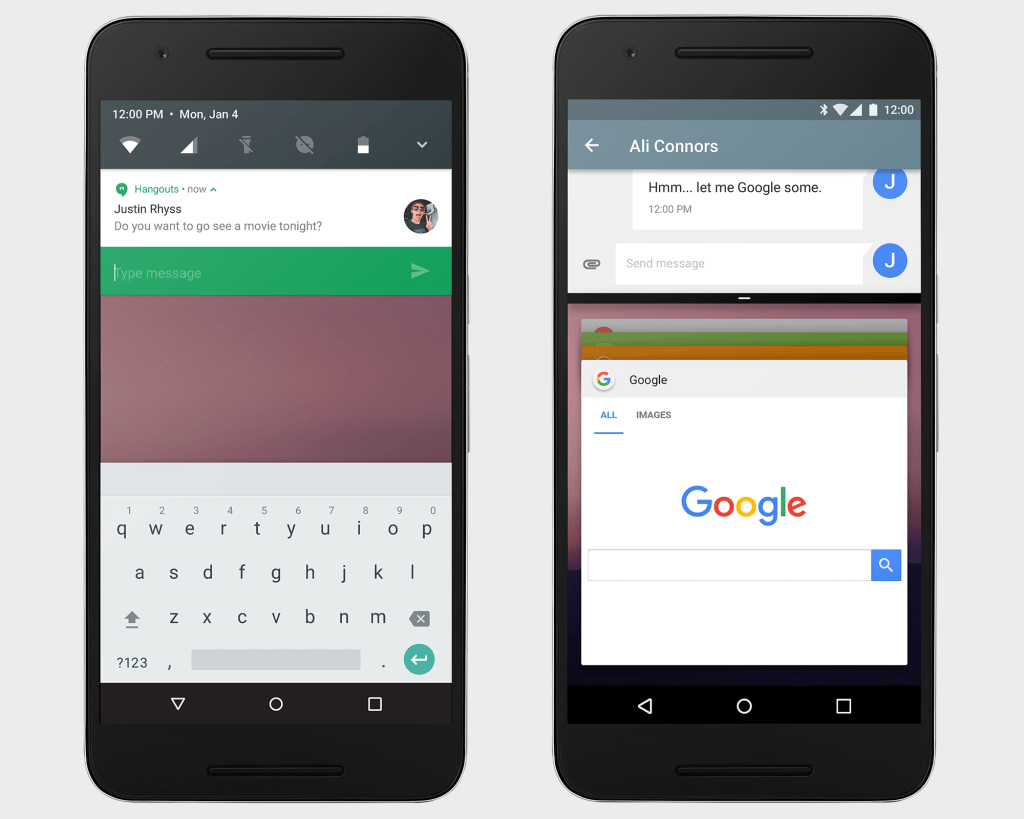
Among the changes in Android N are improved notifications. Using “direct reply notifications,” for example, means developers can now allow their users to reply to incoming notifications right from the notifications shade. Developers can now also bundle notifications from the same app together.
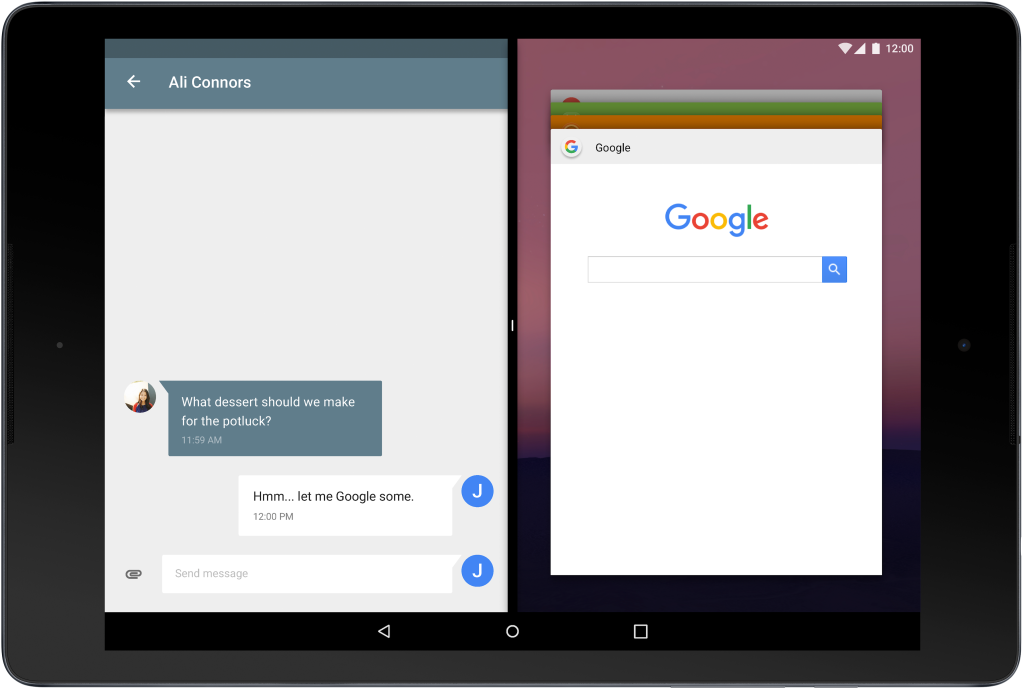
For the first time, Android will also offer a split-screen view. Apps that support this will be able to run side-by-side with other apps on both tablets and phones (and developers can set the minimum allowable dimensions for their apps). Multi-windows support is something users have long asked for — especially on tablets. Google’s own Pixel-C, for example, would make a far better productivity device with this feature.
Besides a basic side-by-side mode, Android N will also offer a picture-in-picture mode so video apps can play in the corner on Android TV devices, for example.
MultiWindow_DevBlog_Tablet_160308_01_N9

With Android Marshmallow, which is currently only running on 2.3 percent of Android devices, Google introduced its Doze feature, which puts a device into a deep power-savings mode when it’s stationary for a while.
In Android N, Google is pushing this concept a bit further by allowing Doze to also save more battery power when the screen is turned off. In addition, Google says it continues to work on making Android less memory-hungry and making apps that run in the background work more efficiently.
One other new aspect of Android N that developers can look forward to is improved Java 8 language support. Thanks to this, developers can now use the Android Jack compiler to use features like lambdas, which reduce the amount of boilerplate code they have to write.
This is available for all versions of Android from Gingerbread up, but Android N developers will also be able to use default and static methods, streams and functional interfaces.
N_Developer_Preview_Hero_WhiteBackground_resized
So how can you get your hands on Android N today? If you don’t mind things not working or randomly breaking, Google will let you sign up for an over-the-air (OTA) update (though as a Google spokesperson told us, that link won’t go live until later this afternoon). That is, of course, if you own a Nexus device.
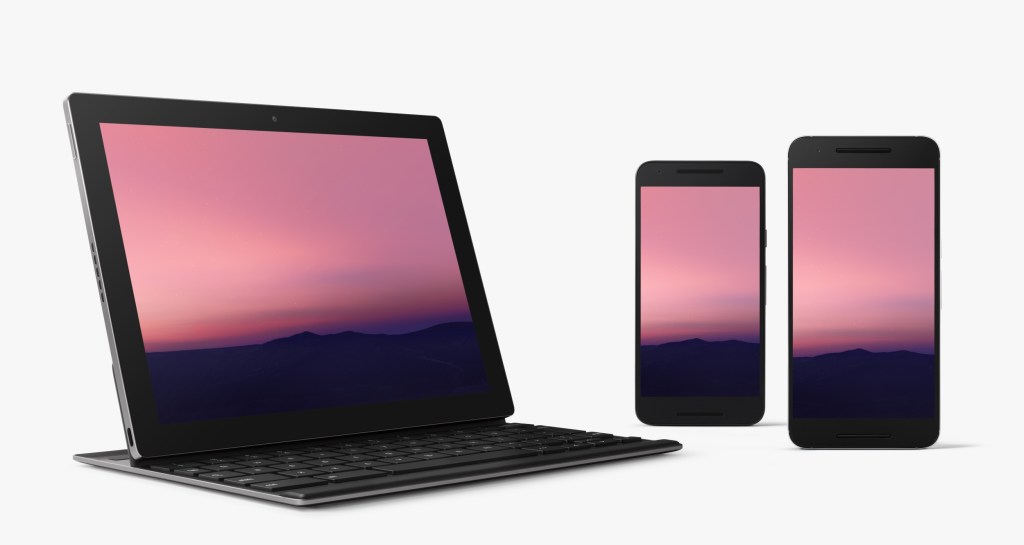
The update is available for Google’s Nexus 6, Nexus 5X, Nexus 6P, Nexus Player, Nexus 9 and Pixel C devices. The one missing device here is the older Nexus 5. Once you’ve updated your device, Google will also continue to push new updates to it as they are released.
In addition to the OTA updates, Google will also continue to make system images for all of the supported devices and the Android emulator available.
Given that Marshmallow isn’t even on 3 percent of devices yet, it’s a bit of a surprise that Google seems to be in a bit of a rush to get Android N out. Chances are, though, that there are still a few more user-facing changes in this preview of Android N, as well, and that the next couple of releases will bring new features, too. For now, however, Google is putting the emphasis on just a few new features for developers.
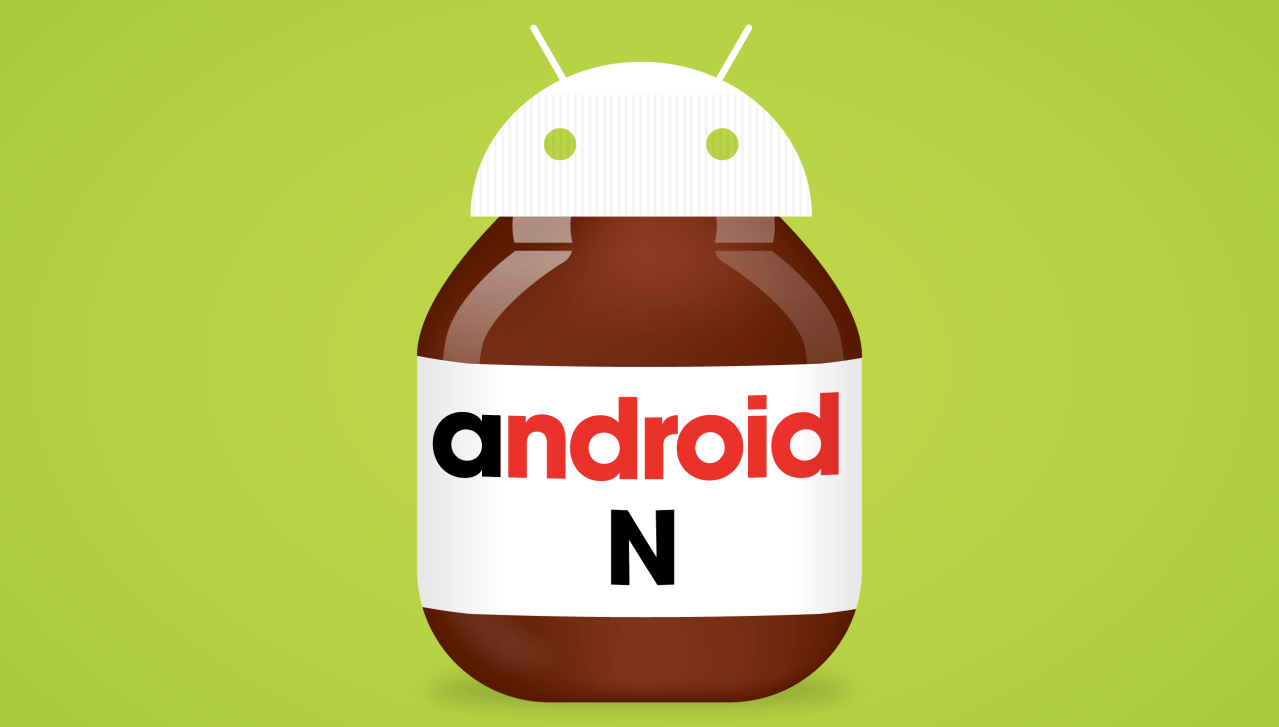
The one thing the company definitely isn’t revealing yet, though, is what dessert/candy that the ‘N’ will stand for once it releases the final version. I’m going with ‘Nutella,’ given that Lockheimer’s post says he’s “nut tellin’ you yet.”

Tuesday, March 8, 2016

Google Photos now supports Live Photos on iOS


It may be time to make the switch to Google Photos


Google Photos will now allow users to back up and view Live Photos taken with the iPhone 6S and iPhone 6S Plus, the company announced in a tweet. The latest version of the iOS app has finally received support for the format, nearly six months after Apple introduced Live Photos in the latest iPhone.
The numbers have already shown that Google knows what its doing with photo storage, as the app racked up over 100 million users in less than a year. For many users, this will mean you can turn Live Photos back on without fear of destroying the paltry 5GB of iCloud storage Apple gives out for free. If you were holding out on making the switch due to the lack of Live Photo support, this may be the time to give Google's offering a chance.
Here's how Google Photos solved our photo storage nightmare

Google patches remote execution flaws in Android


150817 google marshmallow 07
A statue for Google's Android Marshmallow operating system sits on the Google campus in Mountain View on August 17, 2015. Credit: Martyn Williams


More holes have been found in Android's multimedia playback software


Google has released 16 patches for Android, including one for a critical remote execution vulnerability in the operating system's mediaserver.

The company's Nexus devices will receive an over-the-air update. Google's partners were notified no later than Feb. 1 of the fixes, giving them more than a month to prepare.

The vulnerabilities in mediaserver could be exploited if malicious content is displayed or played on a device, such as an MMS, email, or if the browser plays some type of media, Google's advisory said.

A string of vulnerabilities has been found in media playback software since last year, most notably the Stagefright bug.

That flaw could have allowed an attacker to compromise a device just by sending a malicious MMS. A successful compromise required an attacker to know only the victim's phone number.

The severity of Stagefright prompted Google to move to a monthly patching schedule to address long-running concerns that Android was not regularly fixed. Mobile devices, particularly those running Android, are a frequent targetfor cyberattacks.

Samsung and LG, both major Android manufacturers, also pledged to improve the speed at which security fixes are applied.

The other patches released by Google include five critical ones, eight rated high severity and two considered moderate.

The source code for the fixes will be published on the Android Open Source Project repository within two days. Updated Nexus firmware images are here.

Wednesday, February 24, 2016

Google releases Resizer web tool to test Material Design at various resolutions


The Material Design Guidelines are considered a living document by Google’s designers and receive constant updates and new additions. To help with their recent guidelines on responsive UI, Google has released a web-based tool to see what a website looks like on various devices and at different resolutions.


While the responsive UI guidelines are geared at apps, they can also apply to design on the web, particularly web apps. Users can enter a URL into the Resizer tool or select from a list of pre-selected sites that have good implementations of responsive design. Next to the URL bar, users can select different device views. The default view displays a webpage on laptop, tablet, and smartphone screen side-by-side.

Going into a specific view, users can select a specific width to view the webpage, with various pre-selected resolutions. The website views are fully interactive and can be scrolled. The specific pages loaded up keeps users logged into whatever sites they may already be in. Developers who are working on password protected sites will find this feature particularly useful.

Monday, February 8, 2016

Google removes from Play Store over 200 apps infected with ad fraud targeted through Twitter's MoPub


Ad fraud apps in Google Play Store
Google removes from Play Store over 200 apps that were victims of mobile app ad frauds

Security researchers have disrupted an ongoing mobile phone app ad fraud scheme, operating through MoPub, the mobile advertising platform owned by Twitter. The mischievous apps generate more than $250,000 (£172,351, €224, 466) revenue per day through the ad fraud.
Researchers at Sentrant Security, which conducted the investigation on the mobile app ad fraud scheme, claim to have identified a total of 247 apps containing ad frauds available for download in the Google Play Store, estimating a total app installation of between 282,998 and 1,193 665.Google, after being notified by Sentrant, removed all the rogue apps from Play Store.
"In reaction to our communication with Google, all apps have been removed from the Play Store. But apps already installed on user devices would not be affected as users would need to uninstall the apps themselves," Hadi Shiravi, the co-founder of Sentrant Security, told IBTimes UK.
Shiravi also revealed that this is one of the most sophisticated ad fraud schemes that had targeted mobile apps in hundreds of thousands of devices running code that run non-viewable ads in the background.
According to Sentrant, the ad fraud scheme was developed and operated by mobile app company Academ Media, which has a network of over 20 shell companies to execute the fraud operation by targeting Twitter's MoPub, the largest mobile ad exchange.
Meanwhile, Academ Media, a private company based in the Siberian city of Novosibirsk, denied the allegations. It claimed its systems were hacked by attackers, who stole their data a year ago and modified the company's apps to commit advertising fraud.
Tim Prokhorov, head of business relation at Academ Media told Financial Times the company is nowhere related to these new apps and they must have been created by hackers using the codes stolen earlier.
Ad fraud though Twitter's MoPub
Sentrant claims the custom ad fraud code was integrated into several legitimate apps. The fraudsters used two distinct techniques to hide the ad fraud such as proxy detection and long sleep duration. These two techniques bypass detection.
The fraudster targets MoPub by inserting the ad fraud code directly into the advertising software development kit (SDK) of MoPub and then rebuilding a custom version of the SDK. In order to bypass the ad fraud detection mechanism, the custom SDK spoofs the device ID along with other parameters such as manufacturer, product, device height and width.
Google in its response said, "While we don't comment on specific apps, we can confirm that our Google Play policies are designed to provide a great experience for users and developers. That's why we remove apps from Google Play that violate those policies."